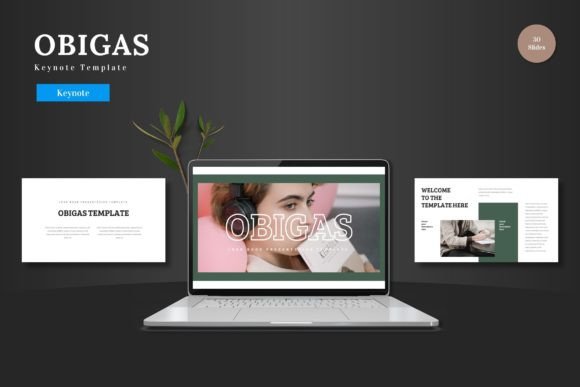
Obigas Keynote Template: Streamline Your Presentations
There is a specific kind of frustration that sets in when you sit down to build a presentation. You have the data, the strategy, and the narrative, but the software fights you every step of the way. You spend hours trying to align text boxes, searching for decent icons, and struggling with color palettes that just don't look right. For entrepreneurs, marketers, and creatives, this is time stolen from actual work. This is the problem the Obigas - Keynote Template was designed to solve. It isn't just a set of slides; it is a design system intended to get your ideas out of your head and onto the screen with minimal friction and maximum visual impact.
Visual Consistency and Brand Recognition
One of the primary challenges in modern business communication is maintaining a cohesive brand identity. Whether you are pitching to investors, presenting a quarterly report, or launching a new product, your visual language needs to be consistent. The Obigas template is built on a foundation of Master Slides, which ensures that your typography, spacing, and layout remain uniform throughout the document. This is crucial for building trust. When a client or stakeholder sees a presentation where the fonts change randomly or the margins are uneven, it subconsciously signals a lack of attention to detail.
With Obigas, you have access to 150+ total slides spread across 5 premade color variations. This variety allows you to maintain a fresh look for different departments or topics without breaking the visual style guide. For instance, a small business owner could use the blue variation for internal financial meetings and the green variation for sustainability reports, yet the underlying structure remains familiar to the audience. This level of visual consistency helps solidify your professional image and makes your content more recognizable over time.
Practical Applications for Every Creative
While the template is excellent for standard corporate decks, its utility extends far beyond the boardroom. The design is clean, scalable, and multipurpose, making it a versatile tool for a wide range of creative assets. If you are a designer or a content creator, you can think of Keynote not just as presentation software, but as a layout tool.
Here are some practical ways to leverage the Obigas template for various projects:
- E-commerce & Product Promotion: Use the Gallery and Portfolio slides to create lookbooks or catalogs. The picture placeholders allow for easy drag-and-drop functionality, meaning you can swap out product shots in seconds.
- Pitch Decks: For startups, the handcrafted infographics are invaluable. Instead of presenting raw numbers in a spreadsheet, you can visualize data to make your business case more compelling.
- Social Media Graphics: You can design your slides and export them as images (JPEG or PNG) to use as Instagram carousels, Facebook posts, or Pinterest pins. The pixel-perfect illustrations ensure that your graphics look sharp on high-resolution screens.
- Print Materials: Need a quick flyer or a poster? The scalability of the elements means you can design a layout in Keynote and export it for print. It’s a cost-effective solution for those who don't have access to complex design software like Adobe InDesign.
- Digital Products & Marketing Assets: Create media kits, webinar slides, or even simple e-book layouts. The structure provided by the template speeds up the creation process of these marketing assets significantly.
The Power of Editable Design Elements
A common pain point with many templates is rigidity. You buy a design, but changing it requires advanced software skills or is simply impossible. Obigas removes this barrier by ensuring all elements are editable directly within Keynote Slides. There is no need for Adobe Illustrator or Photoshop to tweak the graphics.
If you need to match a specific brand color, you can simply adjust the hue. If a graphic needs to be larger to emphasize a point, you can resize it without losing quality because the illustrations are vector-based. This flexibility is particularly important for branding and logo design presentations. When presenting a new logo concept, for example, you might need to place it on various mockups. The drag-and-drop placeholders make this process intuitive.
Furthermore, the inclusion of section break slides helps in pacing your presentation. Good storytelling in a presentation relies on rhythm. You cannot just throw data at an audience for 30 minutes straight; you need moments to pause and transition. These dedicated slides provide a visual "breath," allowing your audience to digest the information before moving on to the next topic.
Optimizing Your Workflow and Typography
Efficiency is the currency of the modern professional. The Obigas template is designed to save you time, but to get the most out of it, you should approach your presentation with a strategy regarding typography and content hierarchy.
While the template provides the layout, the text you fill in is what drives the message. When inputting your content, focus on readability. Avoid long paragraphs. Keynote presentations are visual aids; they should complement your speech, not replace it. Use the bullet points and text blocks provided in the template to highlight key takeaways.
Consider the font pairing included in the package. The designers have selected typefaces that work well together, balancing a modern typography aesthetic with readability. However, if you have a specific brand font, you can easily swap it in. Just ensure that if you change the headline font, the body text remains legible. A common mistake is using a script font or an overly decorative display font for body text, which can be exhausting to read. Stick to clean sans-serif or serif fonts for the bulk of your information to ensure your audience can scan the slide quickly.
Final Thoughts on Professional Presentation
Investing in a high-quality template like Obigas is about respecting your own time and the time of your audience. It eliminates the technical hurdles of design, allowing you to focus on the message. Whether you are a hobbyist sharing a travel itinerary, a freelancer pitching a client, or a business owner launching a new service, having a reliable, premium design asset in your toolkit is essential. The ability to present your ideas clearly and beautifully can be the difference between a "no" and a "yes." With its extensive customization options and professional structure, this Keynote template provides a solid foundation for any visual communication need.