Creating Standout Custom Tumblers with Texture
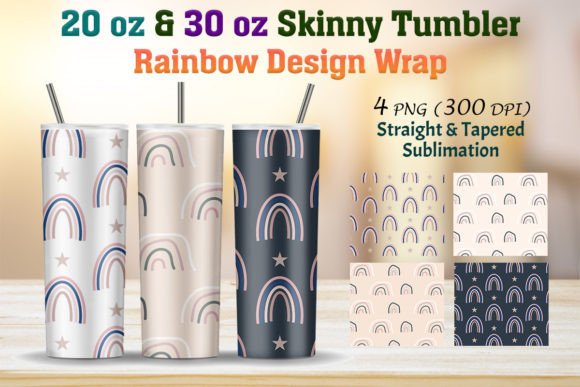
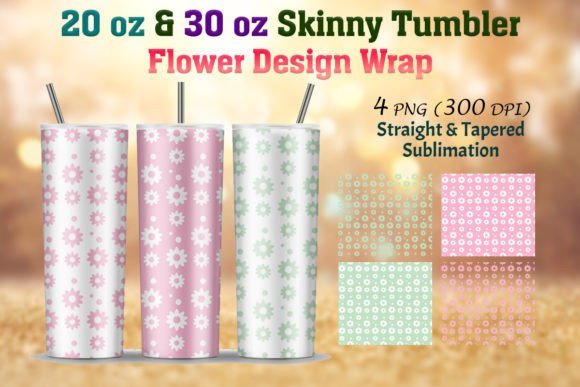
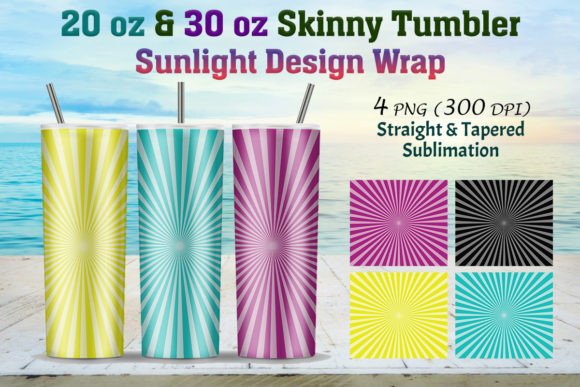
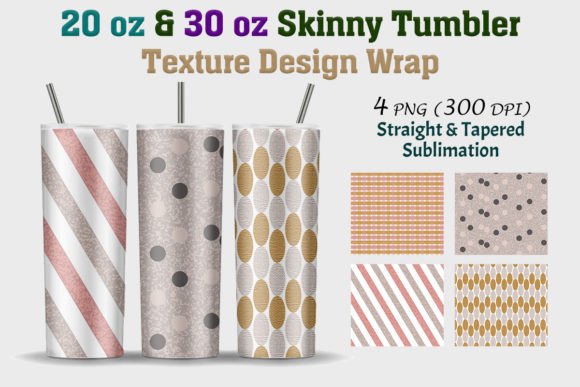
There is a unique satisfaction in holding a custom tumbler that feels truly yours. The market for personalized drinkware is crowded, and standing out requires more than just a solid color or a simple monogram. What transforms a plain skinny tumbler from a generic container into a statement piece or a marketable product is the depth and character of its surface design. When you introduce a high-quality texture into your sublimation projects, you immediately elevate the perceived value of the item. It moves beyond a simple graphic slapped onto metal; it becomes a tactile, visual experience that invites the user to look closer and touch the surface. This is the power of starting with the right foundation, specifically with a versatile 20 Oz & 30 Oz Skinny Tumbler Texture pack.
Understanding the Anatomy of a Perfect Sublimation File
Before diving into creative applications, it’s crucial to understand what you are actually receiving when you invest in a professional design asset. A common frustration among crafters and small business owners is purchasing a design only to find it is the wrong size, low resolution, or formatted incorrectly for their specific tumbler blanks. A professional-grade texture pack eliminates this guesswork.
The standard for high-end sublimation is 300 DPI (dots per inch). Anything lower often results in pixelation or blurring when heat is applied, ruining the finish of the tumbler. The files provided here are specifically optimized for this high standard. You are not just getting one generic file; you are getting a comprehensive toolkit. The pack includes separate folders for straight and tapered skinny tumblers. This distinction is vital because the geometry of the tumbler changes how the design wraps around the surface.
- For the 20 Oz Straight/Tapered: The print size is calibrated to 9.3 x 8.2 inches (or 9.6 x 8.4 inches depending on the specific bleed requirements), ensuring a seamless wrap without visible seams or gaps.
- For the 30 Oz Straight/Tapered: The dimensions expand to 10.3 x 9.5 inches, covering the full surface area of the larger vessel.
Having these files pre-sized in a ZIP file containing high-quality PNGs means you spend less time resizing in Adobe Illustrator or Photoshop and more time creating. You can trust that the resolution will hold up under the heat press, resulting in crisp lines and vibrant color saturation.
Visual Consistency and Brand Recognition
For small business owners and entrepreneurs, branding is everything. When a customer sees your product, they should immediately recognize the aesthetic. Texture plays a subtle but powerful role in this recognition. A specific pattern—whether it is a subtle linen weave, a geometric abstract, or a soft watercolor wash—creates a "signature look" for your drinkware line.
Using a consistent 20 Oz & 30 Oz Skinny Tumbler Texture across different product sizes ensures that your brand identity remains cohesive. If a customer buys a 20oz tumbler for their daily commute and a 30oz tumbler for their desk at work, the visual language should connect them. This consistency builds trust. It signals professionalism and attention to detail, which are key factors when customers decide whether to purchase from a small Etsy shop or a big-box retailer.
Furthermore, texture helps with readability. If you are adding text, logos, or decals on top of the tumbler design, a textured background provides visual contrast. A smooth, flat color can sometimes make overlaid text blend in or look cheap. A textured background, however, adds depth, allowing your primary graphics to "pop" and remain legible from a distance.
Creative Applications Beyond the Cup
While the primary intent of this design asset is sublimation on drinkware, the versatility of high-resolution texture files extends far beyond tumblers. As a graphic designer, I view these files as foundational elements that can be adapted for various digital and print projects. The nature of a "skinny tumbler texture" often implies a seamless or repeating pattern that is vertically oriented, making it adaptable for other tall formats.
Consider these practical uses for the files in your creative arsenal:
- Packaging Design: If you sell related products, such as coffee sleeves, straw sets, or gift boxes, using a matching texture creates a cohesive unboxing experience.
- Social Media Graphics: Content creators can use these textures as backgrounds for Instagram Stories or Pinterest pins. A vertical texture is perfect for "phone-sized" content, providing an aesthetic backdrop for text overlays or product photography.
- Website Banners: Web design often requires unique backgrounds that don't distract from the content. A subtle tumbler texture can add an organic, handcrafted feel to a website header or sidebar.
- Print on Demand: Think beyond the tumbler. These textures can be applied to phone cases, laptop skins, or even apparel like leggings and scarves where a repeating pattern is desirable.
- Invitations and Stationery: For a modern, industrial-themed wedding or event, using a metallic or marble tumbler texture on the invitation borders can set the mood effectively.
Tips for Testing and Pairing Typography
A texture is only as good as the elements placed upon it. If you plan to add text to your tumblers—whether it is a name, a quote, or a business logo—font pairing is a critical step. You need to ensure that your typography complements the texture rather than fighting against it.
If your chosen texture is busy or intricate (like a complex floral or a loud abstract pattern), stick to bold, simple sans-serif fonts. These clean lines will stand up to the visual noise of the background. Conversely, if you are using a subtle, low-contrast texture (like a soft bokeh or a faint grid), you have more freedom to use delicate script fonts or handwritten typefaces.
Practical advice for your workflow:
- Mockup First: Never guess. Use Photoshop to overlay your chosen text onto the texture file before printing. This saves expensive sublimation paper and ink.
- Check Readability: Zoom out. If you cannot read the text at a glance on your screen, it will be even harder to read on a curved tumbler surface.
- Use Shadows Wisely: Sometimes, a very subtle drop shadow or an outer glow on your text can help separate it from a textured background, adding a 3D effect that looks professional.
The Professional Edge: Why Quality Assets Matter
There is a distinct difference between a hobbyist project and a commercial-ready product. That difference often lies in the resolution and preparation of the source files. When I design these assets, I work with the philosophy that quality dictates longevity. A low-quality file might look "okay" on a computer screen, but the sublimation process is unforgiving. It magnifies flaws.
By utilizing a professionally prepared 20 Oz & 30 Oz Skinny Tumbler Texture, you are leveraging years of design experience. The files are structured to minimize the "seam" where the design meets when wrapped around the cylinder. This technical precision is what allows you to sell your products with confidence, knowing that the final physical item will meet customer expectations.
Whether you are a seasoned crafter expanding your product line or a graphic designer looking for reliable assets to speed up your workflow, having a library of high-quality, properly sized textures is an investment. It empowers you to focus on the creative side of design—choosing colors, mixing patterns, and styling layouts—while resting assured that the technical foundation is solid. The result is a more efficient process, a more professional product, and ultimately, a more engaged audience.