Design Presentations That Feel Like a Magazine with VERA
Let's be honest: most presentation templates feel like they were designed in a vacuum. You know the ones—they have a consistent header, a predictable content area, and maybe a generic stock photo placeholder. They're functional, but they lack a distinct point of view. When you're trying to communicate a brand story, pitch a new marketing concept, or present a portfolio, that generic structure can work against you. Your ideas deserve a frame that's as considered and intentional as the content itself.
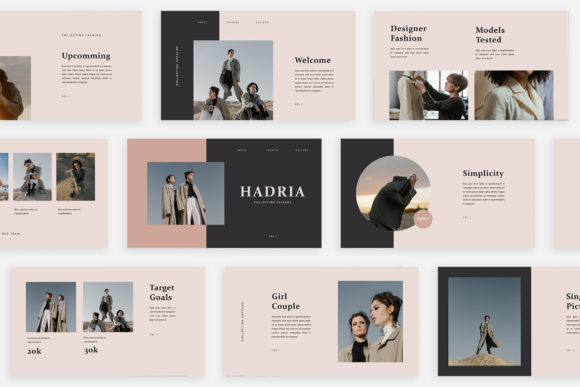
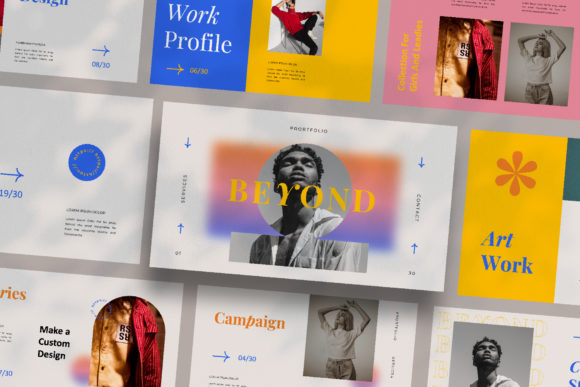
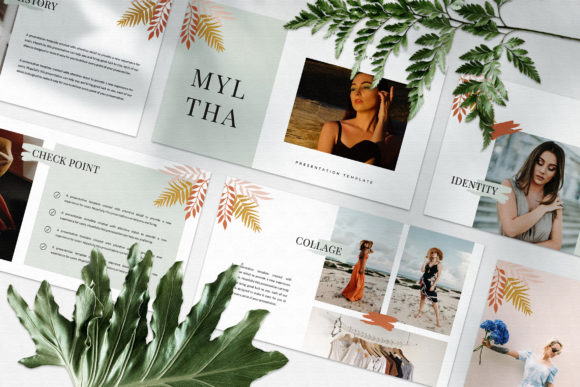
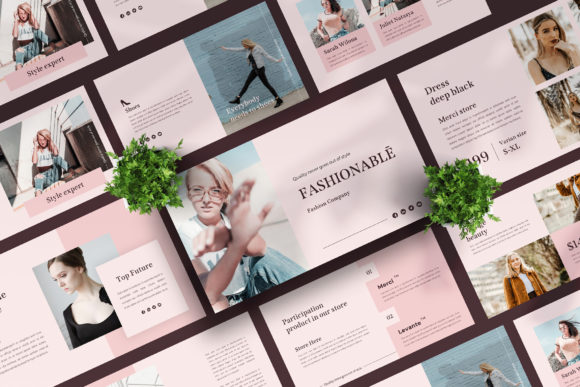
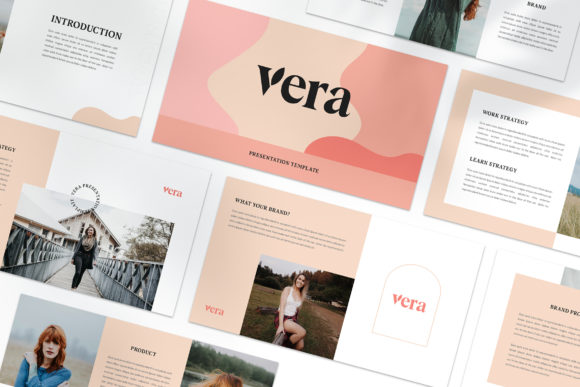
This is where a template like VERA enters the conversation. It’s not just a collection of slides; it’s a design system built around the aesthetic of contemporary editorial and lookbook layouts. Each slide is crafted as a unique composition, moving away from repetitive grids and into a more dynamic, visual storytelling format. The result is a presentation that feels less like a corporate deck and more like a curated digital magazine, which is a powerful shift for anyone in marketing, media, or creative fields.
Breaking the Mold: Why a Unique Slide Layout Matters
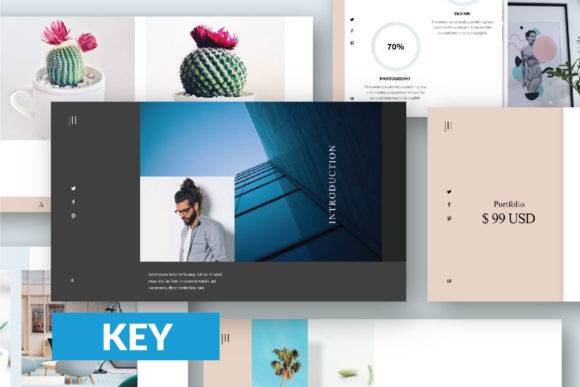
The core appeal of VERA is its rejection of the "one-layout-fits-all" approach. In a traditional template, you might have a title slide, a content slide with bullets, and a two-column slide. You reuse them, and your audience subconsciously recognizes the pattern. VERA, by contrast, treats each slide as a standalone design. One might feature a full-bleed image with text overlaid in a bold, asymmetric block. The next could be a minimalist grid of three images with subtle captions. Another might use a striking typographic hierarchy as its central visual element.
This variety serves a critical practical purpose: it maintains audience engagement. A visually dynamic deck is simply more interesting to watch. But it also serves a strategic branding purpose. If you're presenting a new social media campaign, you can use slides that mirror the look and feel of an Instagram feed or a Pinterest board. If you're pitching a luxury product, the magazine-style layouts provide the perfect sophisticated backdrop. The template doesn't just hold your information; it actively communicates your brand's aesthetic sensibility.
From Digital Media Pitches to Client Onboarding
The versatility of this kind of design system is where its real value lies for professionals. Consider a small agency owner preparing a pitch for a new client in the fashion or lifestyle space. Instead of describing your vision for their brand identity, you can show it within the presentation itself. Use a layout that feels like a lookbook to present mood boards. Employ a clean, modern slide to showcase logo concepts. The presentation becomes an extension of the creative work, a tangible demonstration of your team's taste and attention to detail.
For marketers and content creators, the applications are equally broad. Planning a product launch? Build a presentation that walks stakeholders through the campaign visuals using slides designed to highlight photography. Creating an internal brand guide? The clean, organized layouts are perfect for displaying color palettes, typography pairings, and usage guidelines in a way that's both professional and easy to digest. Even for personal projects, like pitching a blog collaboration or outlining a course for an e-commerce platform, the polished aesthetic elevates your proposal instantly.
Practical Customization: Making It Your Own
A beautiful template is only useful if it's adaptable. VERA is built with practicality in mind, using features like Slide Master in PowerPoint. This means you're not just moving text boxes around; you're working with a structured system. Drag-and-drop image placeholders make swapping in your own visuals—sourced from sites like Unsplash or Pexels—a straightforward task. The automatic color change feature is particularly noteworthy. With a few clicks, you can shift the entire color scheme to match your client's brand palette, ensuring visual consistency throughout the deck without manually editing each element.
The inclusion of free fonts is another thoughtful touch. Typography is half the battle in design, and having a curated, high-quality typeface included removes a major hurdle. The provided Help & Instruction PDF is a sign that the creators understand the end-user's need for a smooth workflow, not just a pretty file. This focus on "easy to customize and fully editable" is what separates a design asset you admire from one you actually use repeatedly.
Building a Cohesive Visual Narrative
Ultimately, the goal of any presentation is to communicate clearly and persuasively. A tool like VERA supports this by providing a foundation for visual consistency. When every slide feels intentionally designed but part of the same family, your message appears more cohesive and professional. This strengthens brand recognition for your own business or for the client you're representing. The high-resolution 1920x1080 pixel format ensures everything looks crisp and modern, whether you're presenting on a laptop screen or a large monitor.
Think of it not as buying a set of slides, but as adopting a design philosophy. It's about presenting ideas in a format that resonates with a media-savvy audience accustomed to consuming content on platforms like Instagram and Pinterest. It’s about making your marketing assets and digital products look as polished as the strategy behind them. For the designer, entrepreneur, or marketer who understands that how you present is as important as what you present, moving beyond generic templates is a necessary step. It’s about giving your work the stage it deserves.